The Observation → Planning Cycle
Discover the 'Magic Link' that proves your educational intent to Ofsted by connecting next steps to planning.
The "Observation → Planning" Cycle
Linking observations to activity plans shows Ofsted that your teaching responds to each child's individual needs. That is what inspectors look for: clear evidence that what you see informs what you do next. KinderStart connects your observations to your weekly plans automatically — creating an auditable thread from the child's moment to your planned response.

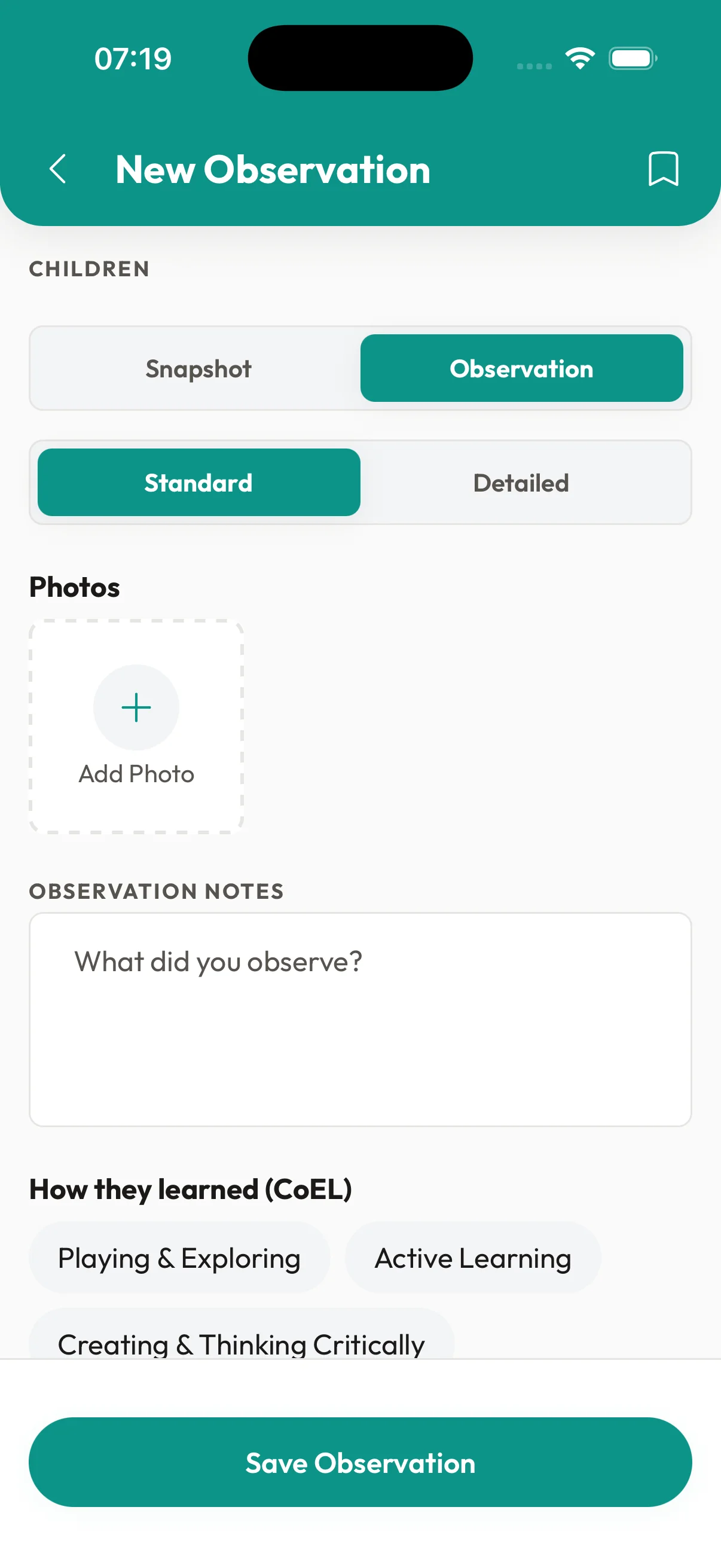
SCREENSHOT: Observation Editor showing Detailed mode and Next Steps
Step 1: Record a Detailed Observation
Use a full Observation to track development — not a Snapshot, which is for quick parent updates. In the Observation Editor, toggle on "Detailed Mode":
- Tag EYFS sub-areas. Don't stop at "PSED". Drill down to specific sub-areas (e.g. Self-Regulation) to show your understanding of the child's progress.
- Tag Characteristics of Effective Learning (CoEL). Record how the child is learning — are they Playing & Exploring, or Creating & Thinking Critically?
- Write a Next Step. State a specific, actionable goal (e.g. "Encourage Emma to use a digital timer to share the tablet"). This is the field that drives planning.
✅Ofsted Tip: Progress vs. Outcome
Don't stress about levels. Ofsted wants to see that you know what the child can do and what they need to do next. Use Detailed Mode to capture CoEL alongside Next Steps. That combination demonstrates a high-quality pedagogical approach.
Step 2: The Magic Link (Weekly Planning)
To plan activities for the week, navigate to Tools > Weekly Planning under the Finance & Planning section.
- Tap + or tap an empty day slot to add a new activity.
- Select your children. KinderStart searches each child's profile as you pick them.
- Review the smart list. Any child with an active Next Step from a previous observation appears here automatically.
- Tap the Next Step to link it. That activity now has evidence behind it — planned specifically to address each child's identified need.
SCREENSHOT: Activity Planner pulling in Next Steps automatically
Step 3: Evidencing Impact
Your weekly plan now acts as a professional programme of care:
- Resources: List what's needed (e.g. "Tuff tray, biodegradable glitter").
- Recurring Plans: Toggle Repeat Weekly for activities you run every week, such as Friday Forest School.
- Parent Portal: Toggle Share with Parents to show the professional thinking behind your daily activities.
💡HMRC & Ofsted Alignment
Resource Costs. If you buy resources for a planned activity, log them in the Finance tab. Linking spending to planning proves the item was a 100% business expense.
Review EYFS coverage monthly
Review each child's EYFS coverage every month. Look for areas with no observations and plan a targeted activity to fill the gap. A child with strong Physical Development observations but nothing under Communication & Language in four weeks is a planning gap — not a development gap, but a recording one.
Ready to try KinderStart?
Start your free trial and put these guides into action.
No credit card required • 7-day free trial
KinderStart strives for accuracy. Competitor features and pricing comparisons are based on publicly available information as of May 2026. Details are subject to change by respective providers.