EYFS Safeguarding Updates 2026: Is Your Device Policy Compliant?
Breaking down the new 'Sight AND Hearing' rule for safer eating and the personal device photo storage ban.
What's Changed in 2026?
The DfE's most significant safeguarding policy update since the EYFS 2021 revision.
The 2026 EYFS Safeguarding Framework introduces two headline changes: a ban on personal device photography and a stricter "Sight AND Hearing" supervision rule during mealtimes. These updates respond to rising concerns about data breaches and choking incidents in early years settings.
Additionally, the Prevent Duty—previously optional for childminders—is now a mandatory requirement, with inspectors checking for evidence of training and awareness during Ofsted visits.
The 4 Key Safeguarding Updates
What you need to implement immediately to stay compliant.

Personal Device Photo Ban
Personal mobile phones and cameras may NOT be used to photograph children, even for business purposes.

Sight AND Hearing Rule (Safer Eating)
During mealtimes, you must maintain BOTH visual and auditory supervision of all children.

Enhanced Prevent Duty Training
All childminders must complete Prevent Duty awareness training and demonstrate understanding of radicalization risks.

GDPR-Compliant Image Storage
All child images must be encrypted at rest and inaccessible to unauthorized individuals.
Device Policy Compliance: The Gray Area
Understanding what's allowed (and what's not) when photographing children.
⚠️ Why Personal Phones Are Non-Compliant
When you take a photo with your personal phone's camera app, the image is saved to your camera roll—which may sync to iCloud, Google Photos, or other personal cloud services. This creates two problems:
- GDPR Breach: Child images are stored alongside your personal photos, making them accessible to anyone with access to your account (family members, hackers, etc.).
- Parental Consent Violation: Parents consent to images being used for business purposes only, not mixed with your personal content.
✅ The KinderStart Solution
Our in-app camera uses encrypted device storage that is completely isolated from your phone's camera roll. This means:
- ✓Images are never saved to your personal photos
- ✓Photos are encrypted at rest and in transit (AES-256 encryption)
- ✓Automatically deleted when a child leaves your setting (with parental consent)
- ✓Generates an audit trail for GDPR Subject Access Requests
The 'Sight AND Hearing' Rule for Safer Eating
New 2026 requirements for mealtime supervision.
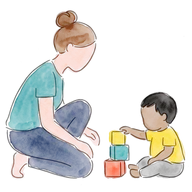
Continuous Visual Supervision
You must be able to see ALL children eating at all times. No obstructed views.
Auditory Monitoring
You must be able to hear choking, coughing, or distress signals immediately.
Age-Appropriate Food Preparation
High-risk foods (grapes, cherry tomatoes, hot dogs) must be quartered lengthways.
❌ Common Mistakes That Breach the Rule
✅ Best Practices for Compliant Mealtimes
- ✓Strategic seating: Position yourself at the head of the table with all children in your direct line of sight
- ✓Quiet environment: Turn off TVs, radios, and appliances during meals
- ✓Designated meal zones: Use the same location every day so children know mealtime routines
- ✓Food preparation in advance: Quarter all high-risk foods before children sit down—no cutting during service
- ✓Parental consent for specific foods: Document which children are cleared to eat high-risk items like whole grapes
Prevent Duty: What Childminders Need to Know
Understanding your legal obligation to safeguard against radicalization.
The Prevent Duty is part of the UK's Counter-Terrorism and Security Act 2015. While it was previously optional for childminders, it became mandatory in 2026 following a review of safeguarding practices in home-based care.
Your responsibilities include:
- Completing the free Channel General Awareness training (available online)
- Recognizing signs of radicalization in families (e.g., extreme views, isolation from community)
- Knowing how to refer concerns to your local Channel panel
- Demonstrating this knowledge to Ofsted during inspections
Free Training Resources
 Free Training Resources
20-minute online module covering the basics of Prevent duty
Official government guidance for early years providers
Your Safeguarding Documentation Checklist
What Ofsted expects to see during inspections.
| Document | Requirements | Review Frequency |
|---|---|---|
| Safeguarding Policy | Updated with 2026 device and eating protocols | Annual review |
| Staff/Household Safeguarding Agreement | All adults sign understanding of rules | On registration |
| Prevent Duty Certificate | Proof of completed training | Every 3 years |
| Device Policy Statement | Explains how images are captured and stored | Annual review |
| Incident Log | Records any safeguarding concerns raised | Ongoing |
KinderStart Template Library: All of these documents are available as pre-filled templates in your account under Tools > Compliance > Safeguarding. Simply customize with your setting's details and you're ready for inspection.
 KinderStart Template Library: All of these documents are available as pre-filled templates in your account under Tools > Compliance > Safeguarding. Simply customize with your setting's details and you're ready for inspection.
Common Ofsted Questions About 2026 Changes
Be prepared to articulate these during your inspection.
Q: "How do you ensure child images are GDPR-compliant?"
Model Answer: "I use KinderStart's in-app camera, which encrypts all images and stores them separately from my personal device. Parents can request access via the parent portal, and images are automatically deleted when a child leaves my setting, in line with GDPR retention policies."
Q: "What procedures do you have in place for safer eating?"
Model Answer: "I maintain continuous visual and auditory supervision during all mealtimes. High-risk foods like grapes and cherry tomatoes are quartered lengthways, and I position myself so I can see and hear every child eating. I don't take phone calls or leave the room during meals."
Q: "What is your understanding of the Prevent Duty?"
Model Answer: "I've completed the Channel General Awareness training and understand my responsibility to identify signs of radicalization. If I had concerns about extreme views or behaviours in a family, I would refer them to my local Channel panel via the MASH (Multi-Agency Safeguarding Hub) contact number."
Q: "Do all adults in your household understand the device policy?"
Model Answer: "Yes, all adults aged 16+ have signed my Device Policy Agreement, which explicitly states that personal mobile phones cannot be used to photograph children on my premises. This is reviewed annually and forms part of their household member safeguarding briefing."
Actionable Steps to Implement Today
Your 30-minute compliance sprint.
✓ Today's To-Do List
- 1Update your Safeguarding Policy to include 2026 device and safer eating protocols
- 2Complete Prevent Duty training (20 minutes) and save your certificate
- 3Get household members to sign your Device Policy Agreement
- 4Review your meal setup to ensure you can see and hear all children during eating
- 5Switch to encrypted photo capture (e.g., KinderStart's in-app camera) if currently using personal device

Stay compliant with built-in safeguards
KinderStart's in-app camera automatically encrypts photos and bypasses your personal camera roll, ensuring 100% GDPR compliance.
Cancel in the app before day 7 and you pay nothing.
KinderStart strives for accuracy. Competitor features and pricing comparisons are based on publicly available information as of May 2026. Details are subject to change by respective providers.