Childminder Invoice Software UK: Simplify Bookkeeping and Meet MTD Requirements (2026)
Daniel Broadhurst (Founder)
Sep 21, 2026 • 9 min read
Key Takeaways
✅Bottom Line Up Front (BLUF)
From April 2026, Making Tax Digital (MTD) requires UK childminders earning over £50,000 to submit income records digitally via a compliant app — paper records and manual spreadsheet re-keying are banned. Purpose-built childminder invoice software automates funded-hours separation, generates HMRC-itemised invoices, and maintains the 'digital link' required for quarterly MTD submissions. KinderStart is the only software designed from the ground up for UK childminding, eliminating the complex setup that generic tools like QuickBooks require.
TL;DR
- MTD for Income Tax is mandatory from April 2026 for gross income over £50k (£30k from 2027, £20k from 2028)
- Your software must maintain a continuous digital link from invoice to HMRC — copy-paste from Excel breaks compliance
- Childminder invoices must separate funded hours (£0 to parents) from private fees, and itemise consumables separately
- KinderStart builds invoices directly from your attendance register — no manual calculations
- Generic tools (QuickBooks, Xero) can be made compliant but require expert configuration for childminding-specific billing rules
- Expect to pay £100–£250/year for a compliant solution; KinderStart costs £119.99/year
For a full breakdown of HMRC's digital record rules, read our Making Tax Digital for Childminders: The 2026 Mandatory Guide and our Childminder Allowable Expenses Guide.
Why do childminders need specialist invoice software in 2026?
Childminder billing is structurally different from any other self-employed trade. A single invoice for one child can contain up to four distinct line-item types — funded hours (billed at £0 to parents), hourly private fees, consumables (food, nappies, activities), and stretched-funding top-ups — all governed by different HMRC and local authority rules.
Generic invoicing tools treat every service as a simple price × quantity calculation. They have no concept of funded entitlement deductions, no link to an attendance register, and no understanding of the 2026 HMRC requirement that consumables must be itemised separately from hourly care fees. That gap creates risk: if your invoice doesn't reflect the correct income split, your quarterly MTD submission will contain errors that trigger HMRC compliance flags.
[!IMPORTANT] From April 2026, HMRC requires a continuous digital link between your transaction records and your quarterly submission. Manually re-keying figures from a Word invoice into a spreadsheet or HMRC's own website breaks the digital link and makes you non-compliant under MTD legislation. Your software must either submit directly via API or export via MTD bridging software.
What features does childminder invoice software need?
When evaluating any UK invoicing tool as a childminder, check for these five capabilities:
1. Funded-hours separation
The software must automatically zero out funded sessions on the parent-facing invoice and record the local-authority payment separately in your income ledger. Mixing funded and private income into a single rate inflates your apparent gross income and distorts your HMRC records.
2. Attendance-register integration
Your invoice should be generated directly from your digital attendance register — not typed manually. Manual invoices create a disconnect between what you record and what you bill, which causes disputes with parents and fails the HMRC 'source document' standard that will be scrutinised in MTD audits.
3. HMRC itemisation compliance
HMRC Childcare Provider VAT Notice 701/2 and MTD digital-link rules require that consumables charged separately (food, nappies, trips) are not bundled into a single hourly rate. Your invoice software must produce distinct line items, not a single lump-sum total.
4. Direct MTD submission or bridging export
The software must either submit quarterly updates to HMRC directly via a recognised API connection, or export a structured, MTD-compatible file for use with bridging software. Check HMRC's list of MTD-recognised software before committing to any tool.
5. Receipt and mileage capture
Every expense you claim must be linked to a digital receipt — a paper shoebox of receipts is no longer sufficient under MTD. The software must support in-app photo capture and attach the receipt image directly to the transaction record.
📱 KinderStart Invoicing
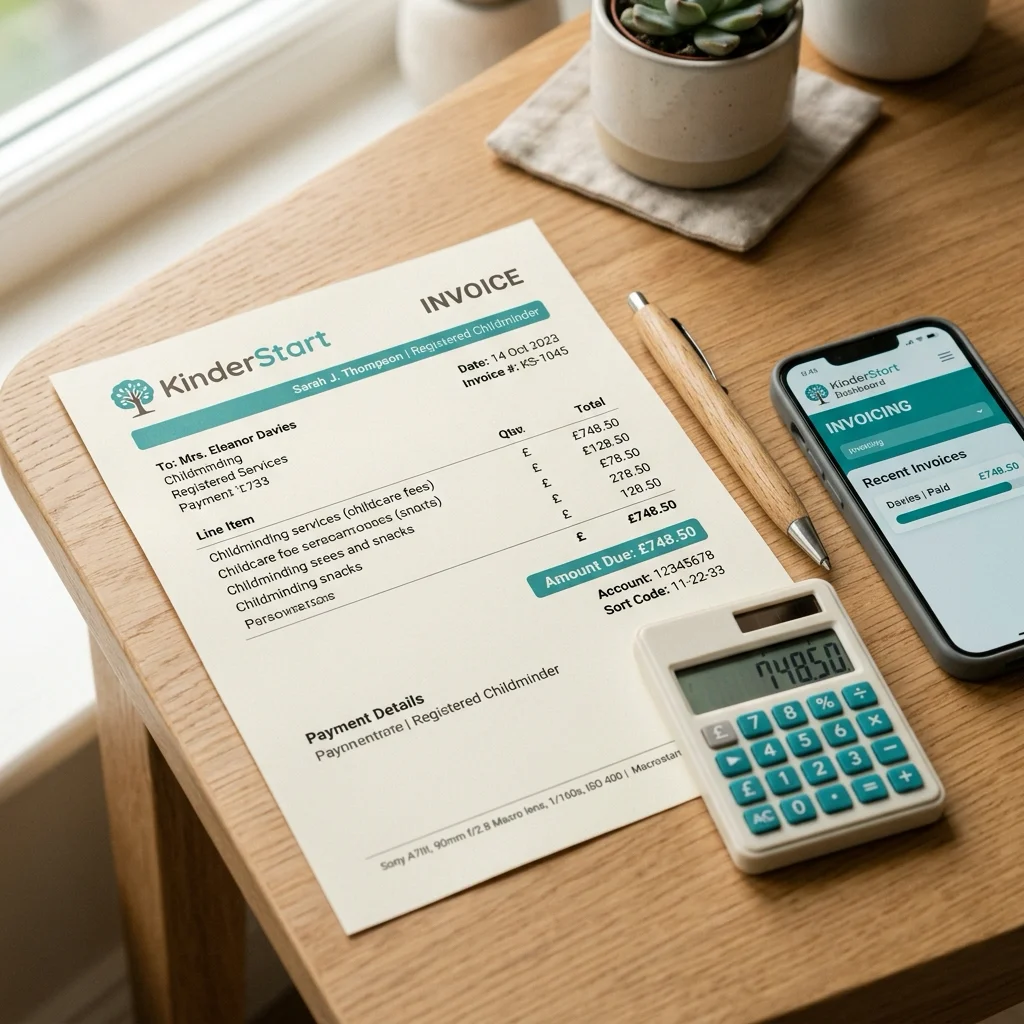
Generate HMRC-itemised invoices in seconds, built directly from your attendance register. Funded hours are automatically separated and charged at £0 to parents, while consumables appear as distinct line items. One tap submits your quarterly MTD update.
Comparing your options: which invoice software is right for childminders?
| Software | Built for childminders? | MTD-compliant? | Funded hours? | Price/year |
|---|---|---|---|---|
| KinderStart | ✅ Yes | ✅ Direct API | ✅ Automatic | £119.99 |
| QuickBooks Sole Trader | ❌ Generic | ✅ Yes | ❌ Manual setup | ~£180–£360 |
| FreeAgent | ❌ Generic | ✅ Yes | ❌ Manual setup | ~£150–£300 |
| Xero Starter | ❌ Generic | ✅ Yes | ❌ Manual setup | ~£168 |
| Cuppa | ❌ Generic | ✅ Yes | ❌ None | Free–£54 |
| Excel + bridging | ❌ Generic | ⚠️ With bridging only | ❌ Manual only | £0–£100 |
KinderStart (Purpose-built — Recommended)
KinderStart is the only invoicing platform designed exclusively for UK registered childminders. It connects your attendance diary, contract, and funding tracker directly to the invoicing engine, so every invoice is automatically correct without manual calculation.
Key strengths for childminders:
- Invoices pull line items directly from your digital attendance register
- Funded hours (15h/30h universal, 15h two-year-old, Tax-Free Childcare payments) are separated automatically
- Four billing methods: Contract, Actuals, Termly, and Annual — matching how you actually work
- Consumables listed as separate line items by default
- MTD-recognised direct HMRC API submission (no bridging software needed)
- Expense tracking, receipt photo capture, and mileage log in the same app
- Costs £119.99/year including a 7-day free trial
QuickBooks Sole Trader
QuickBooks is the most widely used MTD-compliant platform for UK sole traders and is HMRC-recognised. It handles digital record-keeping, expense categorisation, quarterly MTD updates, and bank feed imports well.
The childminder catch: QuickBooks has no concept of funded hours, attendance registers, or childminding-specific expense categories. You or your accountant must manually configure income splits, set up custom products for funded vs private sessions, and ensure consumables are itemised correctly. Sector-specialist accountants (such as Accountancy Kids) can configure QuickBooks for childminding compliance, but this adds accountancy fees.
Cost: £15–£30/month (£180–£360/year) depending on plan.
FreeAgent
FreeAgent is a UK-focused small-business accounting platform with strong MTD support, a clean mobile app, and project-based invoicing. Like QuickBooks, it requires manual configuration for childminding rules. Some childminders use it with a spreadsheet register, using bridging exports to connect the two — which works but adds complexity.
Cost: ~£12.50–£25/month if paying directly (often free with NatWest or Royal Bank of Scotland business accounts).
Excel + MTD Bridging Software
This is the lowest-cost option but carries the highest compliance risk. You may use Excel to calculate invoices, but you cannot re-key totals into HMRC's website — this breaks the MTD digital link. You must export a structured CSV and upload it via MTD bridging software (such as Bridgit or GoSimpleTax). Any manual re-keying of figures at any point in the chain is non-compliant.
[!WARNING] Sterling & Wells (childminder specialist accountants) note that "poor setup [of MTD software] leads to messy data, which then creates stress at each quarterly update and increases the risk of errors at the Final Declaration stage." If you use Excel + bridging, invest in a proper initial setup session with a childminder accountant.
How to choose: a decision framework for childminders
Use these four questions to narrow your choice:
1. Do you have funded children? If yes, you need software that handles funded-hours separation automatically. This effectively narrows the choice to KinderStart unless you are willing to pay for specialist QuickBooks configuration.
2. Are you (or will you be) in scope for MTD? If your gross income (including any rental income) is approaching £50,000, choose software with a direct HMRC API connection now. Avoid bridging-only solutions that add a manual step each quarter.
3. Do you use an assistant? If you employ an assistant and run payroll, you will need a software solution that integrates or exports to payroll. KinderStart exports payroll-ready data; QuickBooks and FreeAgent have native payroll add-ons.
4. Do you work with a childminder accountant? If yes, ask them which software they support and whether they can configure it for childminding-specific rules. Many specialist childminder accountants prefer QuickBooks because of its robust reporting, but will equally support KinderStart's CSV export format.
[!TIP] Start digital record-keeping now — even before your MTD deadline. Childminders who have 12 months of digital records before their deadline find quarterly submission takes under 10 minutes. Those who switch in the final month face a steep data-migration workload.
How KinderStart handles funded-hours invoicing
KinderStart's invoicing engine was built specifically around the UK funded-entitlement billing model. Here is the exact workflow:
- Set up the contract — specify the child's funded entitlement hours, any stretched-funding model, private top-up rate, and consumables charges
- Log attendance daily — the digital diary records exact start and end times for each session
- Generate invoice — tap + New Invoice, select the child, choose a billing period, and tap Generate Line Items
- KinderStart calculates automatically: funded hours are deducted at £0, private hours are charged at your contracted rate, and consumables appear as separate line items
- Review and send — download a branded PDF invoice with a monthly calendar summary, or send directly to parents via the app
- MTD submission — at the end of each quarter, your income figures flow directly from your invoice records to your HMRC quarterly update via a direct digital link
There is no manual calculation, no spreadsheet, and no re-keying. The income figure on your MTD submission is provably traceable back to individual session records in your attendance diary — exactly what HMRC's digital-link standard requires.
💰 KinderStart Finance Engine
Track income, expenses, mileage, and funded-hours deductions in one place. Generate a quarterly MTD summary with a single tap, or export a clean CSV for your accountant.
Ensuring MTD compliance: the digital-link checklist
Before your MTD deadline, verify your invoicing workflow against this checklist:
- Every invoice is generated digitally (not hand-written or typed in Word)
- Invoice line items are pulled from your attendance register — not manually calculated
- Funded hours are recorded as a separate £0 line, not bundled into the private hourly rate
- Consumables (food, nappies, trips) are itemised separately from hourly care fees
- Every business expense has a digital receipt attached in the same software
- Your mileage is logged digitally (date, purpose, miles, calculated at HMRC 55p/mile allowance)
- Your software submits to HMRC via a direct API or you use MTD bridging software with no manual re-keying
- You have tested a dummy quarterly submission before your first real deadline
[!IMPORTANT] The HMRC MTD for Income Tax regulations define a 'digital link' as any electronic transfer or exchange of data between software programs. Copy-paste, re-keying, or cut-and-paste from one program to another does not qualify as a digital link.
Switching to childminder invoice software: a practical migration guide
If you currently invoice by hand, in Word, or via a basic spreadsheet, here is how to migrate without disrupting your existing families:
Week 1 – Set up your software
- Create your KinderStart account (free trial, no card required for 7 days)
- Enter your business details and payment instructions
- Set up each child's contract, including funded hours, private rate, and consumables
Week 2 – Import historical data
- Log your income for the current tax year to date (required for your first MTD quarterly update)
- Upload your expense receipts for the year to date
- Enter your mileage log if you have one
Week 3 – Parallel running
- Create your next invoices in KinderStart alongside your existing method
- Check that the totals match what you would have calculated manually
- Send the digital invoice to parents and retire your paper or Word template
Quarter-end – First MTD submission
- Review your income and expense summary in the app
- Submit your first quarterly update to HMRC via the direct integration
- Download a PDF summary for your records
Conclusion: invest in the right tools before your MTD deadline
Childminder invoice software is no longer optional admin convenience — from April 2026, it is a legal compliance requirement for higher-earning childminders, and best practice for everyone else. The complexity of funded-hours billing, HMRC itemisation rules, and MTD digital-link requirements means generic invoicing tools carry hidden compliance risks that purpose-built childminding software eliminates.
KinderStart is the only platform that integrates attendance, invoicing, expenses, mileage, and MTD submission into a single workflow designed around how UK childminders actually operate. At £119.99/year with a 7-day free trial, the cost of getting it wrong — HMRC penalties of up to £300 for a first MTD failure plus 5% of unpaid tax — far exceeds the cost of the software.
Related reading:
- Making Tax Digital (MTD) for Childminders: The 2026 Mandatory Guide
- Childminder Finance & Tax 2026: MTD Expense Rules and the New EYFS Statutory Guidance
- Is Excel MTD Compliant? The 'Digital Links' Rule Explained
- The Complete Guide to Childminder Allowable Expenses (2026)
- Navigating Funded Hours and Tax-Free Childcare: A Childminder's Guide